
Delay, made visible. DelayLens turns your Primavera P6 programmes into an animated 4D model of the building, as planned beside as built, with captions that explain every delay event and every piece of work that fell behind plan. Built for delay analysis presentations, claims and dispute boards, and it runs entirely offline.
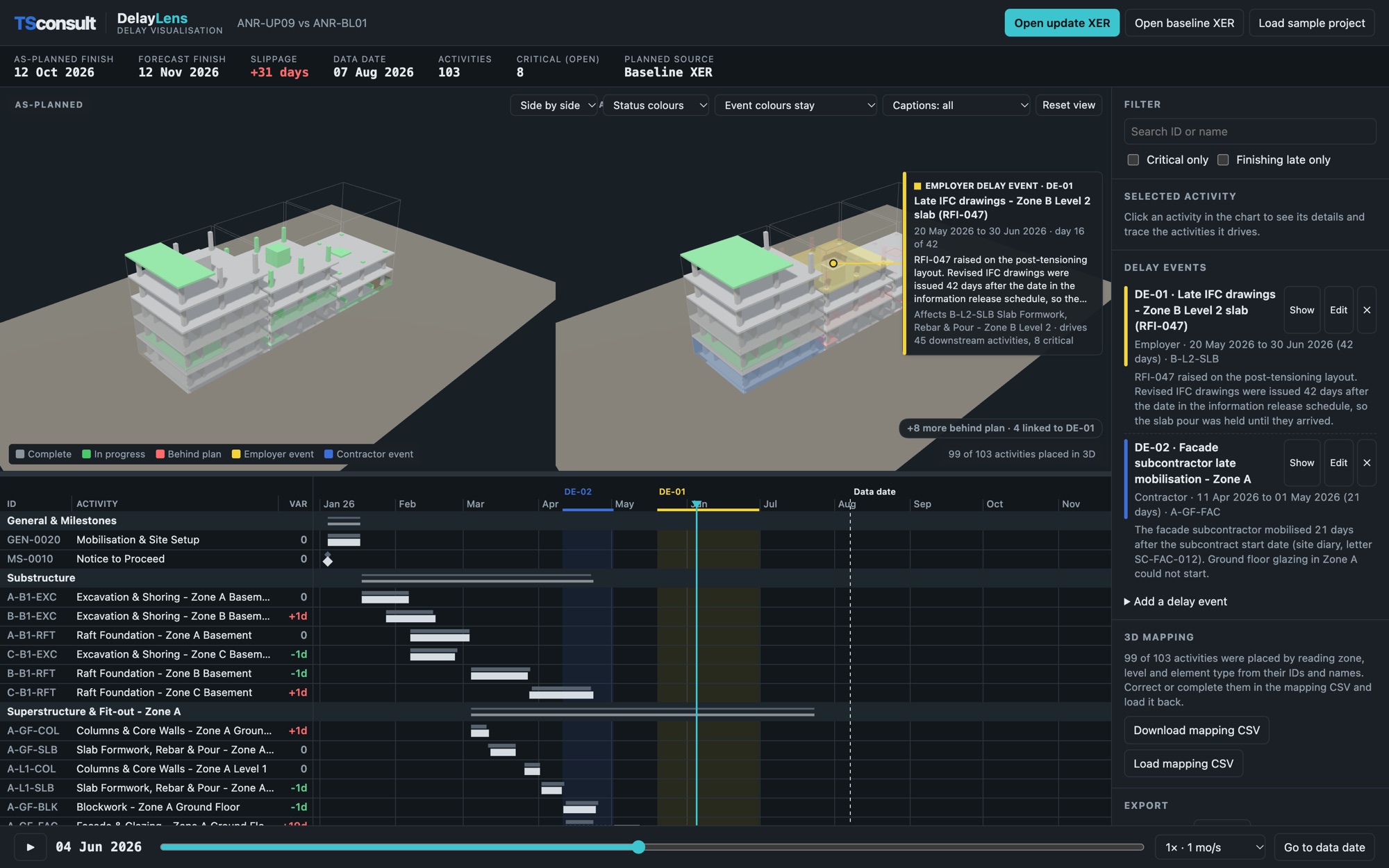
Load the baseline and the current update exported from P6. DelayLens matches the activities, places them on a 3D model of the building by zone, level and element, and plays the programme forward: the building as planned on the left, the building as actually built on the right.
Delay events are shaded by responsibility, Employer in yellow and Contractor in blue, and stay on the model after they end. Work that falls behind plan turns red, with a caption giving the recorded cause, such as insufficient manpower or late material, and any delay event it sits downstream of in the programme logic. Every figure traces back to the dates in the XER files.
A sample G+4 residential block with two delay events. Press play, drag along the timeline, click an activity to trace what it drives, and switch the captions on and off.
Everything a delay narrative needs, driven by your P6 data.
The building grows by schedule date, as planned and as built side by side, with the forecast shown beyond the data date.
Employer, Contractor and neutral events shaded on the model and the Gantt, with the period, the activities affected and everything they drive downstream.
Cards beside the model describe each event and each activity behind plan: how far behind, the finish variance, and the recorded cause.
Click any activity to highlight everything it drives through the P6 logic, and watch a delay ripple through the programme.
Record a branded 1080p video for the hearing or the board, or export the model with phasing data for Twinmotion, Lumion or Blender.
Runs entirely in your browser. No installation, no internet connection, and the programme never leaves your computer.
Have your programme presented in DelayLens, or get the tool set up for your team, with your activities mapped to the building and a quick handover.